The Vibe Eyes app icon: a green blob with two wide eyes.

macOS · Menu bar

Version 3.0 · Free

A pet that lives in your menu bar.

Vibe Eyes tucks a small, expressive character into the top-right of your Mac. Its eyes follow your cursor, it blinks on its own, and it glances up when you come back.

Free · no ads macOS 14+ 23 MB No account, no analytics
Vibe Eyes - Miss your pet? Put them in your macOS menu bar | Product Hunt

Live — move your cursor. This is what it does all day.

Sixteen seconds of it

Flipping through the cast, putting one on the menu bar, and the two things a screenshot can't show: the eyes tracking the cursor, and a blink.

Recorded on a Mac, no sound.

What it does

  • 01

    Follows your every move

    The eyes track your cursor smoothly across the whole screen, with natural blinking and idle behaviours, so it never feels robotic or repetitive. Click anywhere and it winks back.
  • 02

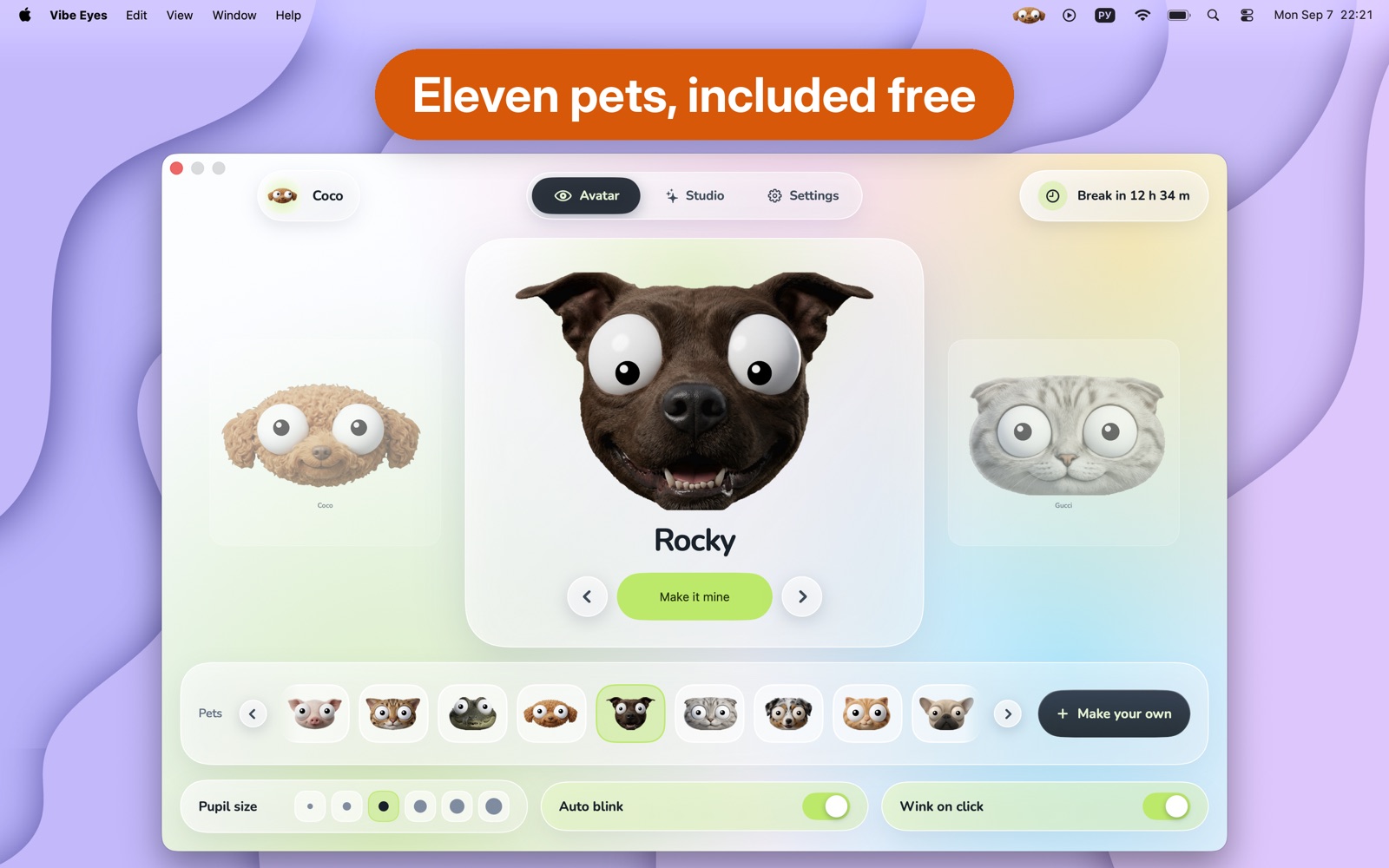
    Eleven characters, all included

    Pick one and it moves into your menu bar. Nothing is locked behind a paywall.

    • Coco
    • Bella
    • Pepper
    • Rocky
    • Milo
    • Brie
    • Gucci
    • Aussie Pup
    • Ginger Tabby
    • French Bulldog
    • Green Blob
  • 03

    Make it yours

    • Browse the whole cast in a carousel, one click to put any of them up top
    • Adjust pupil size; turn blinking and wink-on-click on or off
    • Fourteen accent colours, or mix your own
    • Nudge a character's eyes exactly where you want them
  • 04

    Eye Breaks

    Gentle reminders to look away, on a schedule you choose. Your character leads a one-minute exercise: follow it across the screen, gaze into the distance for twenty seconds, then blink along. They never interrupt a movie or a presentation, and any you miss while away from your Mac are simply skipped. Off by default.

  • 05

    Light on the battery

    A native SwiftUI app built to sip battery, not drain it — it slows its own refresh rate the moment your cursor stops moving. It needs no special permissions at all.

  • 06

    Nothing leaves your Mac

    There is no account and no analytics, and your cursor position never leaves your machine. The only thing ever sent anywhere is a photo you choose to generate from, and it goes straight to the provider you connected. Read the privacy policy.

On a real desktop

Every shot below is the app running, menu bar and all — no mockups.
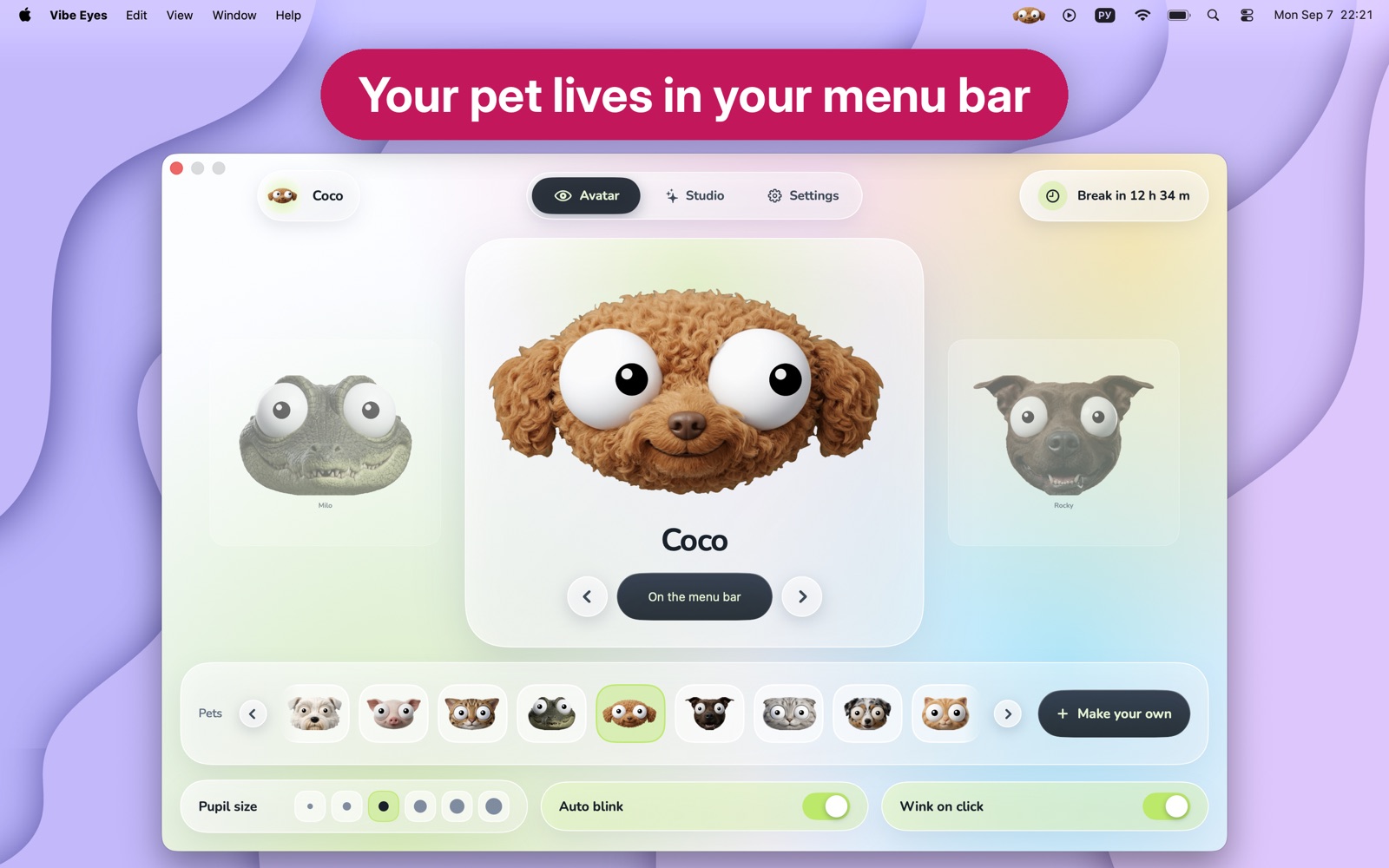
  • The Vibe Eyes window with Coco the poodle selected, and Coco's face sitting in the macOS menu bar at the top of the screen.
    Pick a character. It appears in the menu bar the moment you do.
  • The character carousel showing Rocky the bull terrier full size, with the rest of the cast in a row beneath.
    Eleven of them, flipped through in a carousel. Free, all of them.
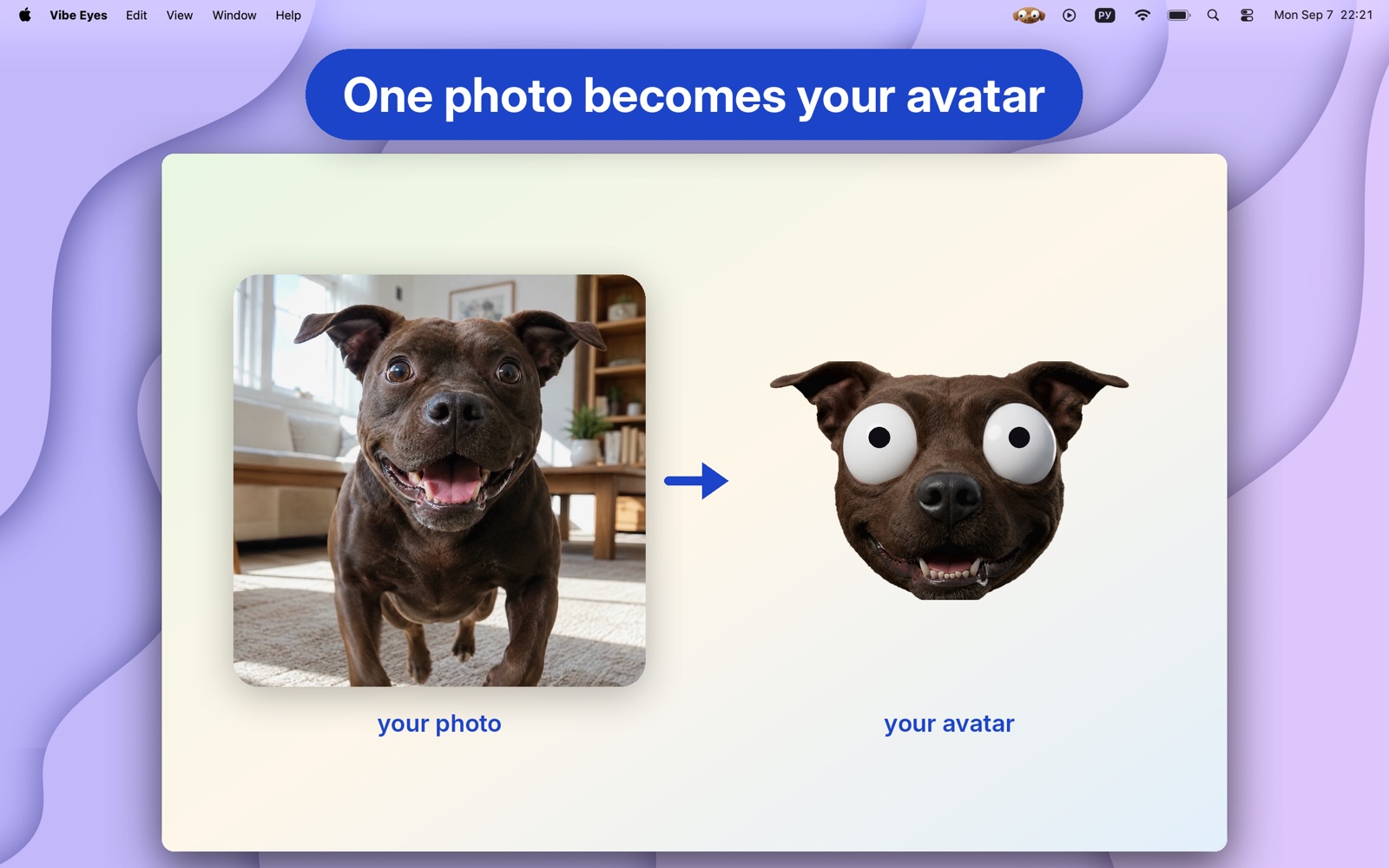
  • A photo of a brown dog beside the avatar generated from it, with wide tracking eyes.
    With Plus: one photo becomes an avatar with the same eyes and blinks.
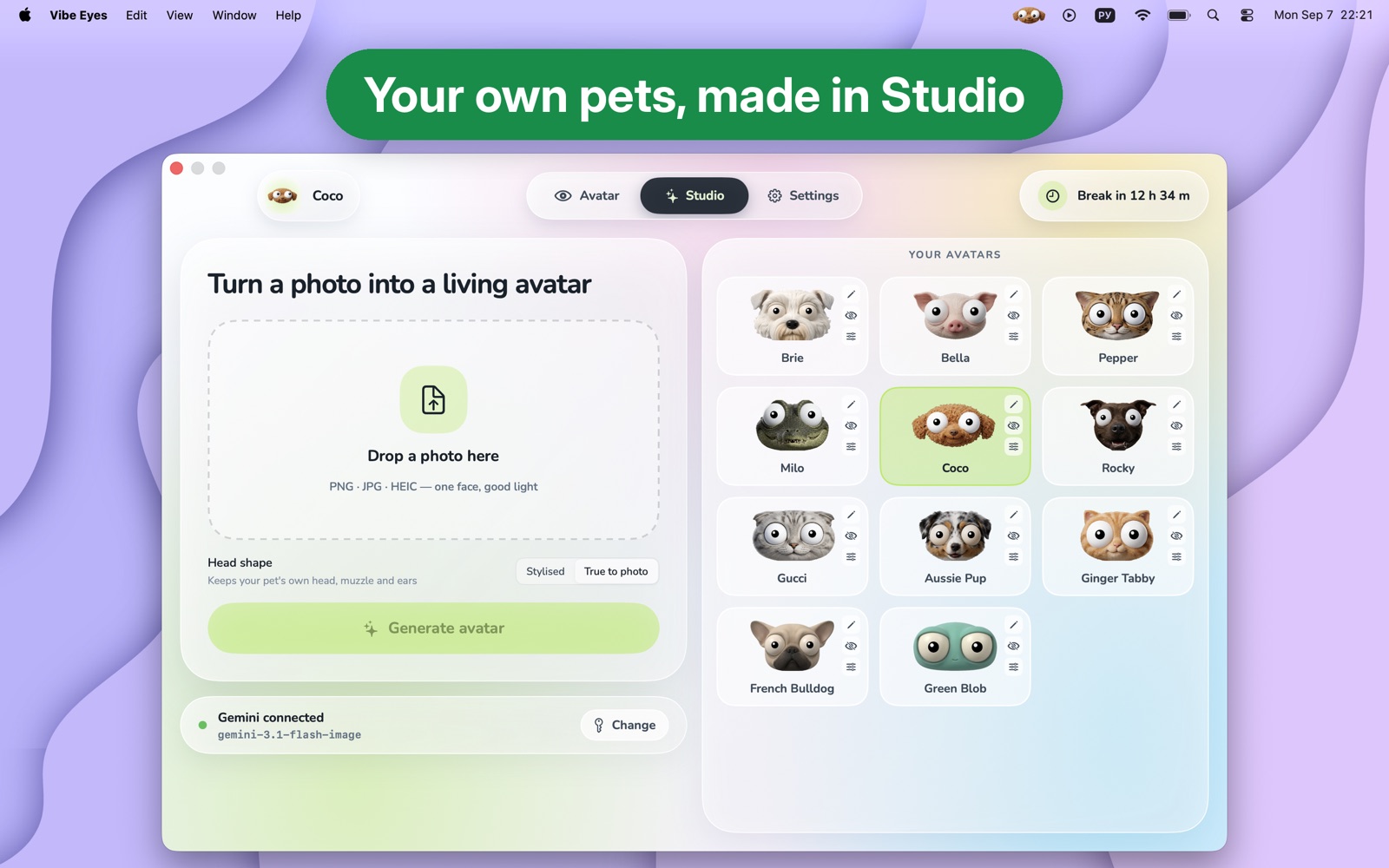
  • The Studio workspace: a drop zone for a photo on the left, the library of generated avatars on the right.
    Studio: the photo you're working on at left, your whole library at right.
Vibe Eyes Plus

Generate your own, from a photo

Plus is a one-time purchase that unlocks Studio: drop in a photo and the app turns it into a menu-bar character of your own, with the same tracking eyes and blinks as the built-in ones.

Generation runs on your own image-provider account — connect a key for Google Gemini, OpenRouter, or any OpenAI-compatible host, and that provider bills you directly for what you make. Everything else in Vibe Eyes stays free.

New in 3.0

  • A completely new look. The settings window has been rebuilt from scratch — light, airy and glass-like, with a drifting colour backdrop.
  • A carousel for the cast. Flip through every character, see one full size, and press Make it mine when you've found the one.
  • Studio is now a workspace. The photo you're turning into an avatar on the left, your whole library beside it on the right.
  • Fourteen accent colours instead of four, or mix your own.
  • Small wooden clicks on the things that matter — putting an avatar on the menu bar, flipping a switch. Turn them off in Settings.
  • Hand-tuned eyes on every built-in character, and you can still nudge any of them yourself.

Give your menu bar a little personality

Free, 23 MB, macOS 14 and later. English, German, Polish, Russian, Spanish and Ukrainian.

Get it on the Mac App Store